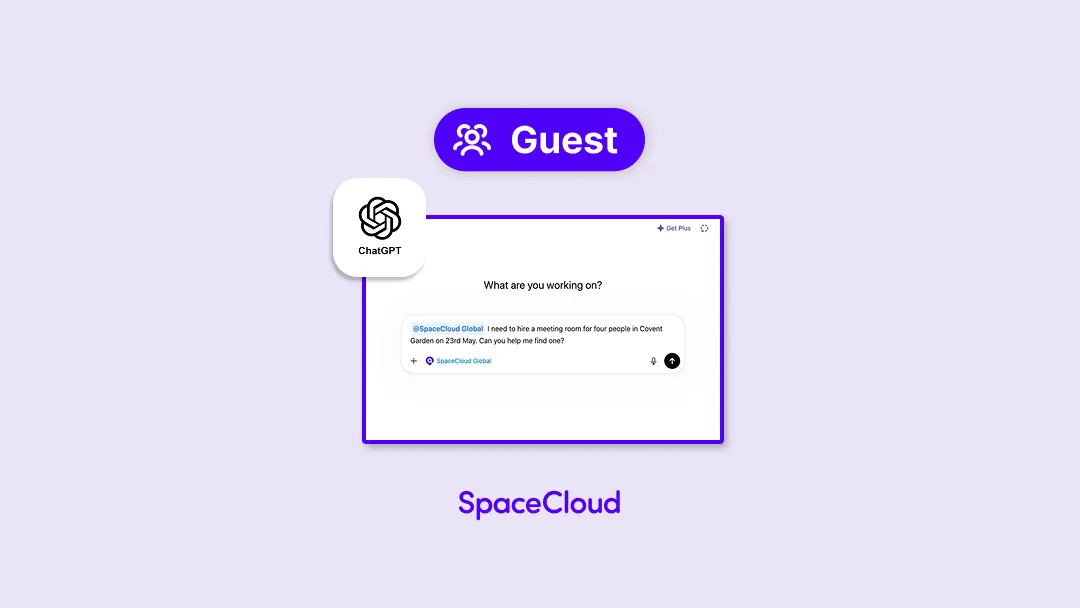

Find and Book Spaces in ChatGPT with Ease
Looking for a space without the hassle of searching? SpaceCloud Global is now available in the ChatGPT App Directory, making it easier than ever to find and book spaces directly within ChatGPT.
You can now simply tell ChatGPT your preferred space type, date, time, location, and amenities — and get a full list of options in one go.
And here’s how. We’ll walk you through getting started and finding the right space in just a few simple steps.
Your Step-by-Step Guide
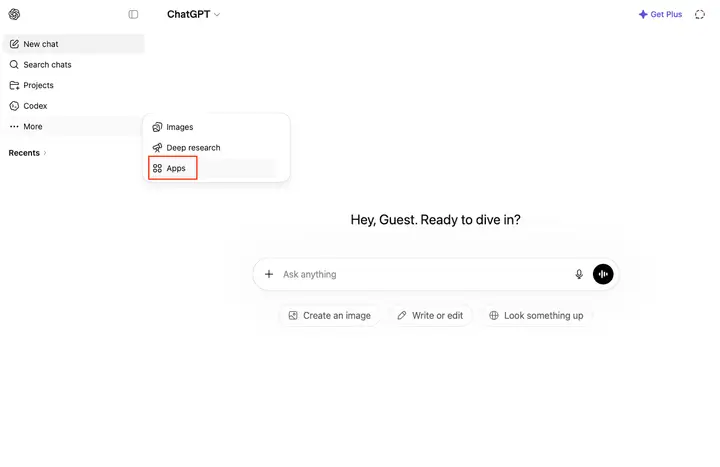
Step 1: Open ChatGPT Apps
Open ChatGPT and go to More > Apps in the left-hand sidebar, or visit chatgpt.com/apps directly.
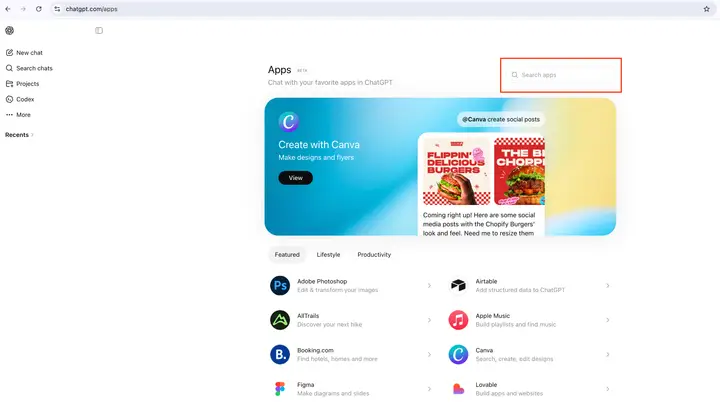
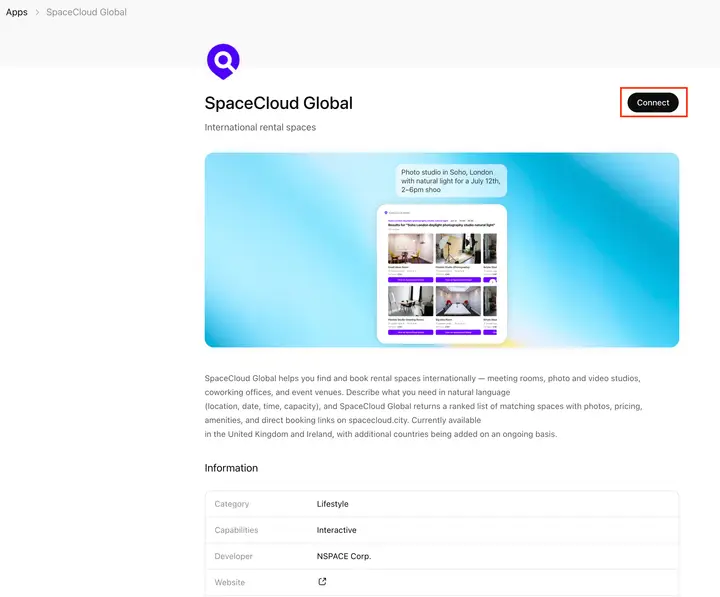
Step 2: Search and connect SpaceCloud Global
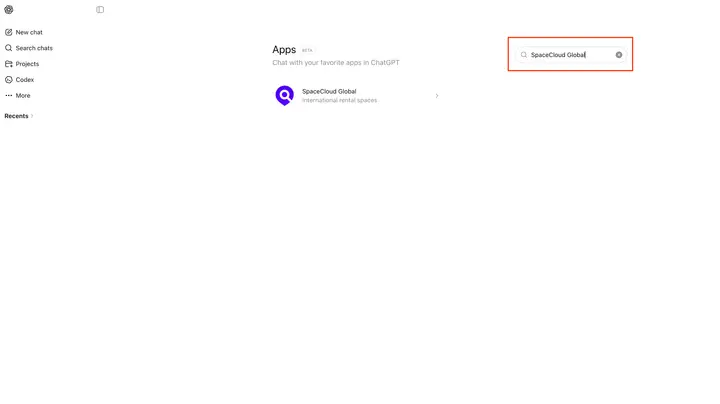
Type “SpaceCloud Global” into the search bar, or visit https://chatgpt.com/apps/spacecloud-global directly. Then click Connect to continue.
Step 3: Use the app in chat
Once connected, you can invoke SpaceCloud Global in chat using an @mention in your prompt.

Or by selecting + > More and choose SpaceCloud Global.

Step 4: Start your space search
After selecting or mentioning SpaceCloud Global, you can start your search right away. Simply type a request such as “I need to hire a meeting room for four people in Covent Garden on 23rd May.”
The more detail you provide — such as date, time, location, and amenities — the more accurate your results will be. You can also refine your search further using filters such as Wi-Fi, projectors, or catering services.

Step 5: Browse and compare results
Once your criteria are applied, SpaceCloud Global will present a curated list of available spaces. Each listing includes key details such as photos, location, and pricing. Take your time to compare options and choose the space that best fits your needs and budget.

Step 6: Proceed to booking
Found the perfect space? Great. Simply proceed click the space link and proceed with the booking.
For a more detailed guide on how to complete your booking, see:
https://uk.spacecloud.city/blog/How_to_Book_a_Space_UK
Get Started Today
Explore SpaceCloud Global in the ChatGPT App Directory today and start finding the perfect space for your next meeting, rehearsal, or event in minutes. It’s the smartest way to secure your ideal venue.