
Exciting New Feature: Bring Your Space to Life with Video
Hello SpaceCloud hosts,
We’re pleased to introduce a new feature that lets you embed YouTube videos in your space descriptions. This helps potential guests explore your venue before they arrive, giving them a clearer sense of the layout, atmosphere, and key features. A short video tour can show far more than photos alone, helping guests visualise your space and book with confidence.
How to Add Your Video Tour
Adding a YouTube video to your listing is quick and simple:
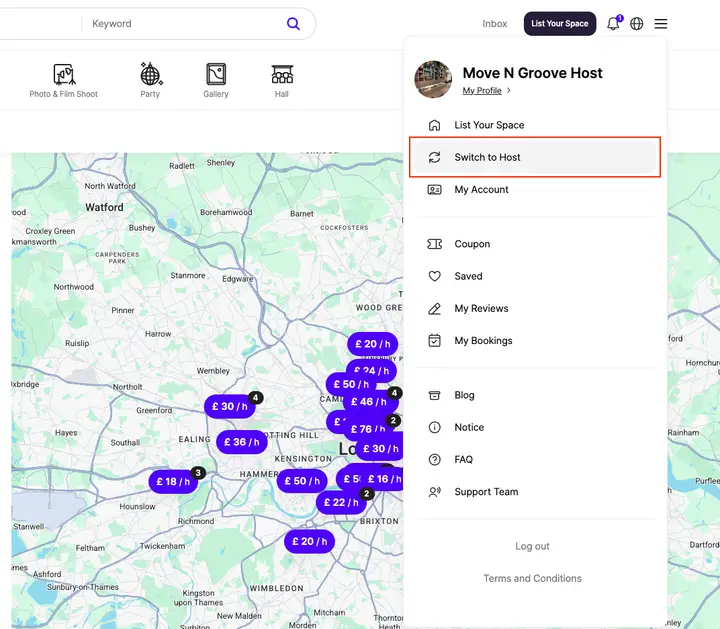
Log in to SpaceCloud and open your Host Dashboard.
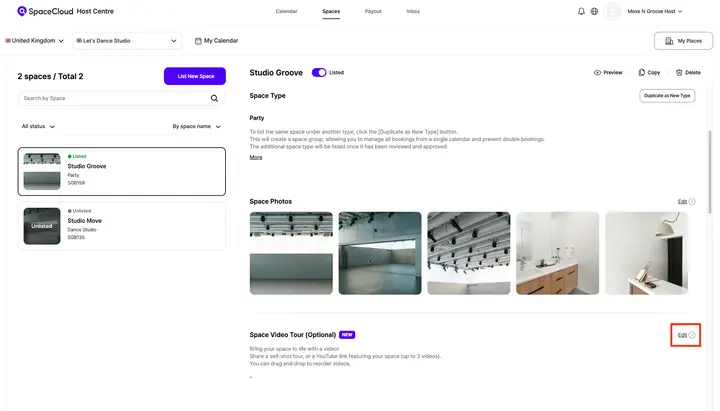
Select the space listing you wish to update, then scroll to [Space Video Tour] and click Edit.
Paste your YouTube URL into the field provided. You can add up to three videos by clicking [Add] after each link.
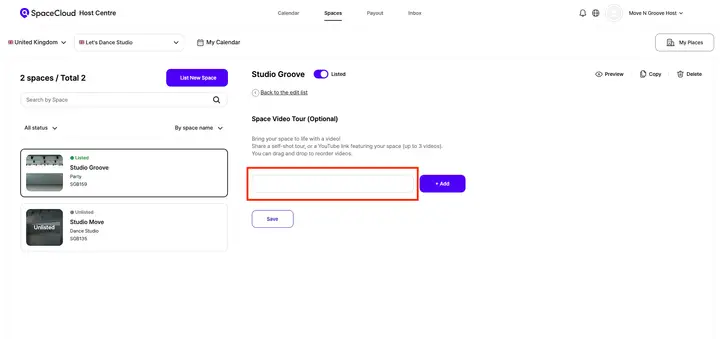
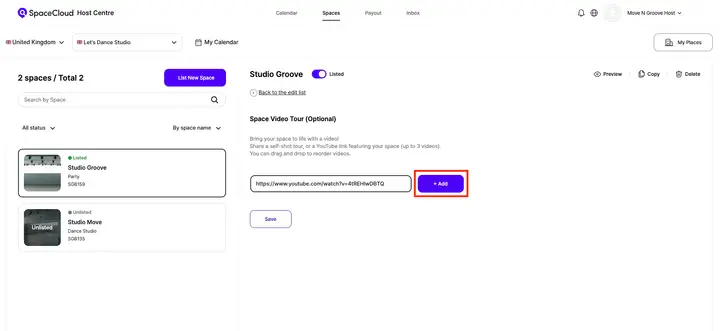
Click [Save] at the bottom of the page to publish.
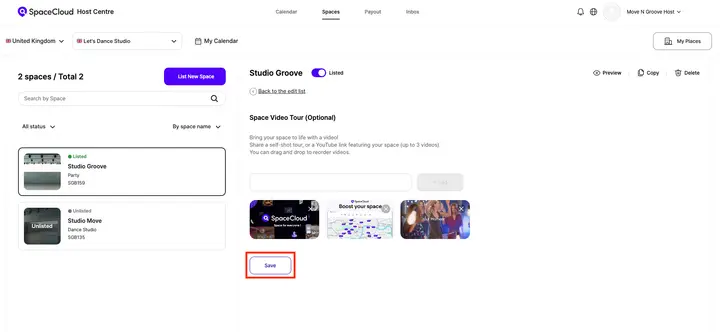
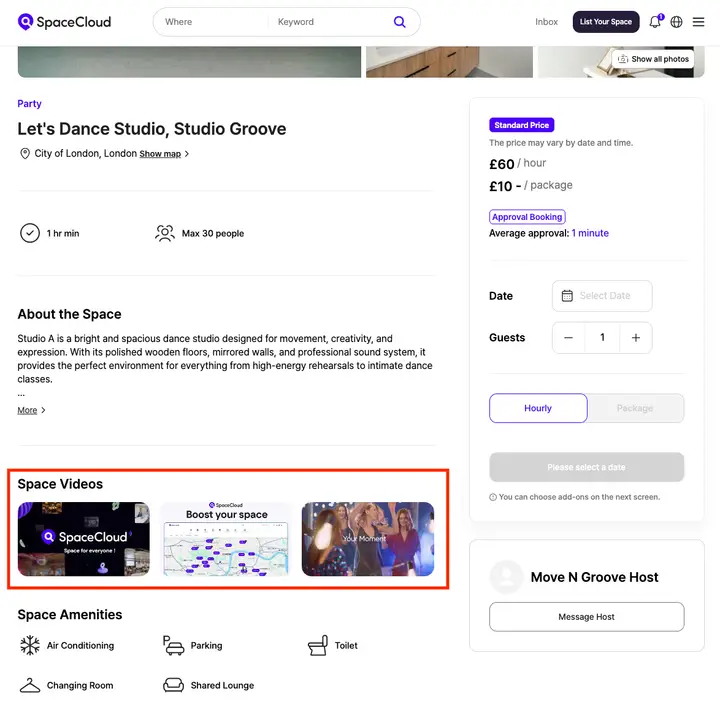
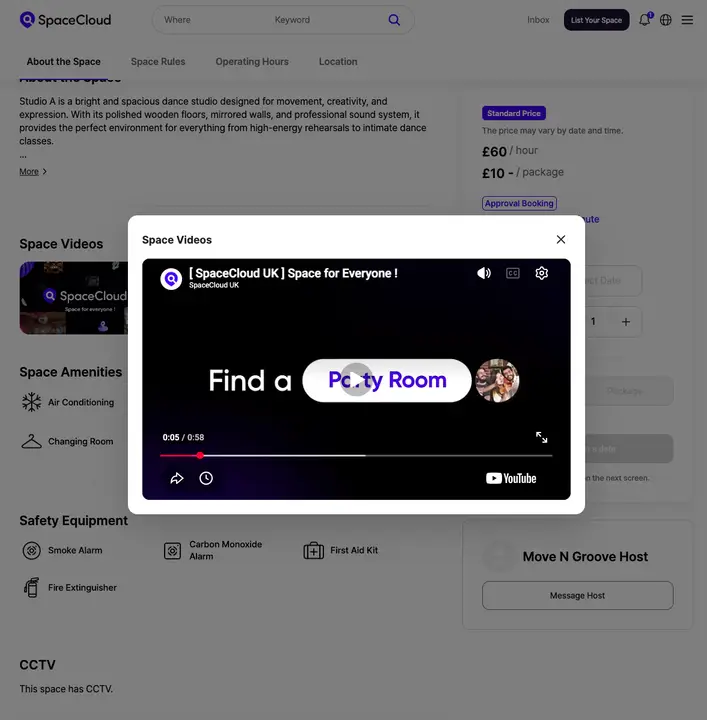
Once saved, visit your space listing page and check the Space Videos section to ensure the videos display correctly.
Strengthen Your Listing and Drive More Bookings
Video is one of the most effective ways to capture attention online. As users browse listings, a video tour quickly shows what your space offers, helping it stand out and build trust through clear expectations. This leads to more confident bookings, better engagement, and increased bookings.
If you haven’t already, add your YouTube video today to give your listing a clear competitive edge!
Space for Everyone,
Team SpaceCloud