

Making the Most of Your Coupons: A Quick Guide for Our Guests
Hello from SpaceCloud 👋
We’re excited to introduce our new Coupon Wallet feature — making it easier than ever to keep track of your discounts and use them when booking a space.
No more searching through emails or forgetting available offers. You can now view all your coupons in one convenient place and apply them in just a few steps.
How to Use Your Coupons
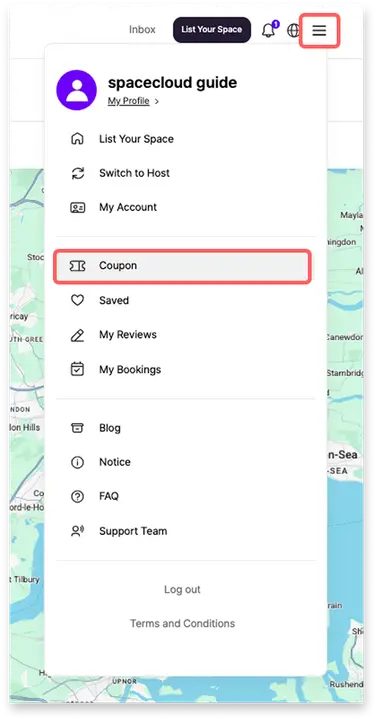
Tap the [≡] menu at the top of the homepage and go to [Coupon].
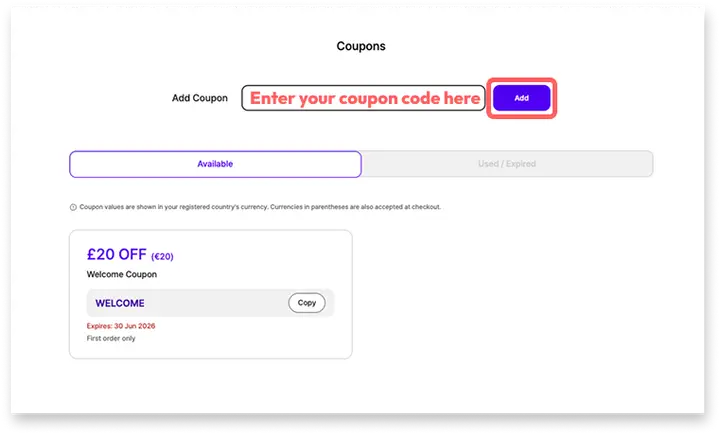
Enter your coupon code and click [Add]
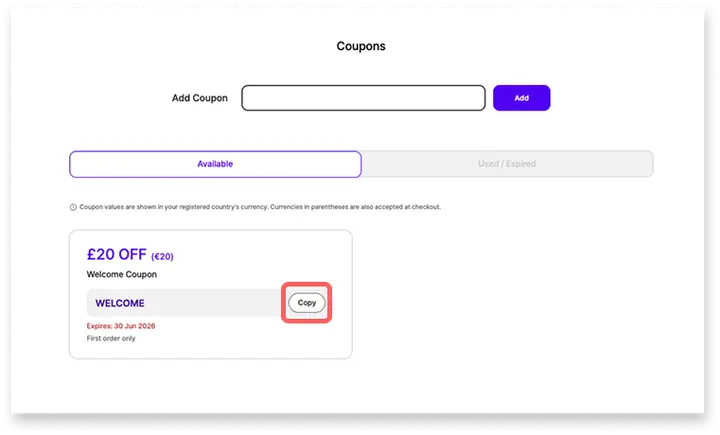
Tap [Copy] to copy the coupon code.
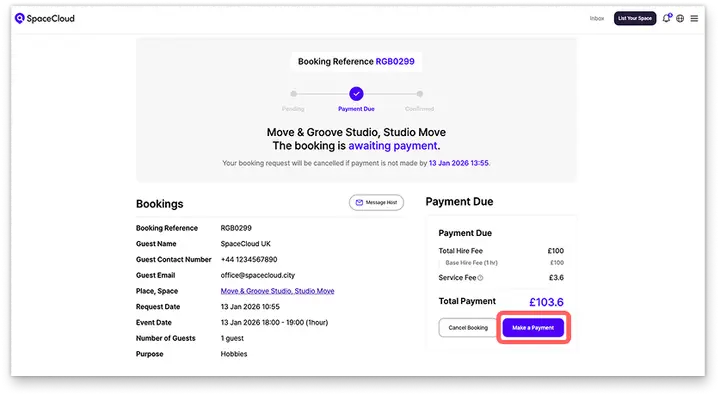
Select the space you’d like to hire, choose your preferred date and time, then click [Make a Payment].
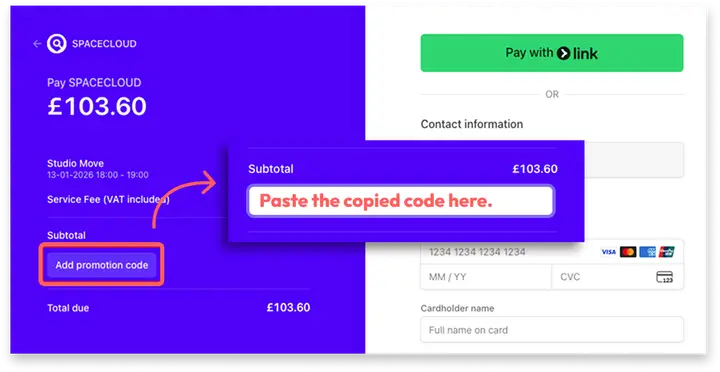
Tap [Add promotion code], paste your coupon code, and apply it.
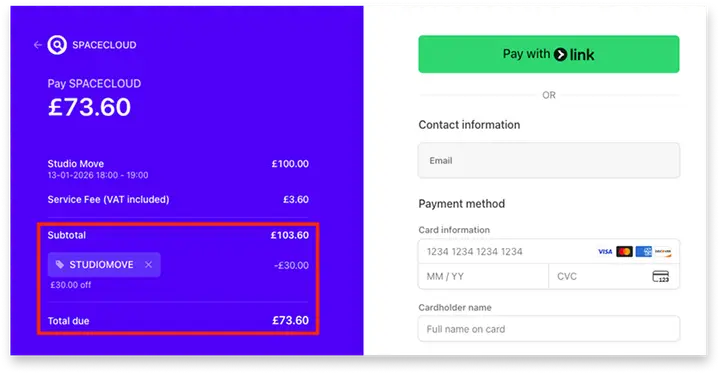
Review your discounted total and complete your booking 🎉
Don’t Miss Out — Check Your Coupon Wallet Today
Our new Coupon Wallet is designed to make saving simpler and more convenient. With all your available coupons visible at a glance, you’ll never miss a discount opportunity again.
Log in today and take a look at your Coupon Wallet — you might already have exclusive offers waiting for you ✨
Happy saving,
Team SpaceCloud